
Download Intervidy – AI Business Web App, Secure Subscription Tool
Overview, Features & Compatibility
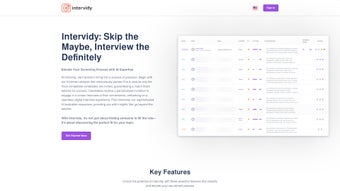
Intervidy is a cloud‑native, subscription‑based web application designed for businesses that need to produce, manage, and analyse video content at scale. Launched in 2025, the platform leverages state‑of‑the‑art generative‑AI models to automate time‑consuming tasks such as scene detection, colour correction, caption generation and multi‑language translation. Because the service lives entirely in the browser, users can start working instantly after creating an account—no bulky installers or licence keys are required.
The UI follows a clean, modular layout that adapts to any screen size, making it equally comfortable on a desktop workstation, a tablet in a conference room, or a smartphone on the go. Intervidy’s primary selling point is its seamless blend of AI‑driven creativity and enterprise‑grade security. All data is encrypted in transit (TLS 1.2) and at rest (AES‑256), and the platform complies with ISO‑27001, GDPR, and SOC 2 standards.
Role‑based access controls, SSO (SAML 2.0, OAuth) and optional two‑factor authentication give IT administrators granular control over who can create, edit or publish video assets. The subscription model guarantees continuous AI model updates, regular security patches, and priority support, so teams never have to worry about falling behind the rapid pace of AI innovation. Whether you are a marketer looking to personalise video ads, a trainer building interactive learning modules, or an analyst extracting engagement insights, Intervidy promises to cut production time dramatically while delivering actionable analytics that inform strategy.
- AI‑Powered Video Editing: Automatic scene detection, smart trimming, and AI‑driven colour correction that adapts to brand guidelines.
- Intelligent Captioning & Translation: Real‑time speech‑to‑text conversion with multi‑language support, powered by cutting‑edge neural networks.
- Analytics Dashboard: Deep insights into viewer engagement, heat‑maps, and conversion metrics, all visualised in an intuitive UI.
- Collaboration Suite: Multi‑user editing, version control, and comment threads that keep teams aligned without leaving the browser.
- Secure Cloud Storage: End‑to‑end encryption, ISO‑27001 compliance, and role‑based access controls for data protection.
- Third‑Party Integrations: Connectors for Google Drive, Dropbox, Slack, Zapier, and major CMS platforms to automate workflows.
- Responsive Design: Works seamlessly on desktops, tablets, and smartphones, ensuring a consistent experience across devices.
Intervidy’s compatibility matrix is intentionally broad. Because it is a pure‑web solution, the application runs on any operating system that can launch a modern browser, including Windows 10/11, macOS Catalina and later, popular Linux distributions, as well as mobile platforms such as Android 8+ and iOS 13+. The service has been optimised for Chrome, Firefox, Safari, Edge and even legacy Internet Explorer 11 for organisations that have not yet migrated. This cross‑platform reach eliminates the need for separate desktop or native mobile apps, reducing IT overhead and simplifying licence management. All user actions are synchronised in real time via the cloud backend, meaning you can start a project on a workstation at the office and finish it on a tablet during a client meeting without missing a beat.
Installation & Usage Guide
Getting started with Intervidy follows the classic SaaS “no‑install, instant‑access” philosophy. First, visit the official Intervidy website and click the “Start Free Trial” button. You will be prompted to provide a valid business email address, create a strong password, and verify the account through a confirmation link.
Once your account is active, you can immediately access the dashboard—no download or client‑side installation is required. The onboarding wizard walks you through the essential setup steps: selecting a subscription tier, configuring security preferences (two‑factor authentication, SSO), and connecting any third‑party services you rely on, such as Google Drive, Dropbox or your favourite CMS. After the initial configuration, you are ready to import or create video content.
Simply drag‑and‑drop video files into the browser window or start a new project using one of Intervidy’s AI‑assisted templates. The platform will automatically analyse the footage, generate captions, suggest colour grades and even propose optimal video lengths based on your chosen distribution channel.
Throughout the editing process, the AI tools operate in real time, providing instant previews so you can fine‑tune edits without waiting for lengthy renders. Collaboration is built in: invite teammates via email, assign roles (editor, reviewer, administrator), and use the inline comment system to discuss changes. All edits are saved automatically, and a comprehensive version history lets you revert to previous states if needed.
When the final video meets your standards, you can publish directly to YouTube, Vimeo, internal portals, or download the file in your preferred format. The analytics dashboard begins tracking performance metrics immediately, giving you insight into viewer behaviour, drop‑off points and conversion rates. Should you encounter any issues, Intervidy offers a searchable knowledge base, live chat support, and a vibrant community forum where users share tips and best practices.
Because updates are rolled out automatically on the server side, you will always benefit from the latest AI models and security patches without any manual intervention.
Pros, Cons & Frequently Asked Questions
Pros
- AI‑driven features dramatically reduce manual editing time.
- Full browser‑based access eliminates the need for local installations.
- Robust security with encryption, SSO, and two‑factor authentication.
- Extensive third‑party integrations streamline existing workflows.
- Scalable subscription model fits both small teams and large enterprises.
Cons
- Reliance on a stable internet connection; offline work is not supported.
- Subscription cost may be higher than one‑time purchase desktop editors.
- Advanced AI features may have a learning curve for non‑technical users.
- Limited support for legacy browsers beyond IE 11.
- Some enterprise‑level features (e.g., on‑premise deployment) are not offered.
FAQ
Is there a free trial available for Intervidy?
Yes, Intervidy offers a 14‑day free trial that provides full access to all premium features, allowing you to evaluate the platform before committing to a subscription.
Can Intervidy be used on mobile devices?
Absolutely. The web application is fully responsive and works on Android 8+ and iOS 13+ browsers, giving you the ability to edit and review videos on the go.
What payment methods are accepted for the subscription?
Intervidy accepts major credit cards (Visa, MasterCard, American Express), PayPal, and bank transfers for enterprise accounts.
How does Intervidy ensure data security?
All data is encrypted both in transit (TLS 1.2) and at rest (AES‑256). The platform complies with ISO‑27001, GDPR, and offers role‑based access controls and SSO integrations.
Is there an API for developers?
Yes, Intervidy provides a RESTful API that allows developers to embed video editing, captioning, and analytics features into custom applications.
Conclusion & Call to Action
In a market where video content reigns supreme and AI is the catalyst for efficiency, Intervidy positions itself as a forward‑thinking solution that removes traditional technical barriers. Its subscription model guarantees continuous access to the latest AI algorithms, security updates and feature enhancements without the hassle of manual upgrades. Because the platform lives entirely in the browser, you can work from any device—whether you’re in a corporate office, a home studio, or traveling abroad—while still benefitting from enterprise‑level encryption, compliance certifications and granular access controls. The only notable trade‑offs are the requirement for a reliable internet connection and the recurring subscription fee, which may be higher than a one‑time desktop licence. For teams that value speed, collaboration, and data‑driven insights, however, the productivity gains and strategic advantages typically outweigh these considerations.
If you’re ready to modernise your video workflow, accelerate content creation and gain actionable intelligence from every frame, download Intervidy today by signing up for the free trial. Experience firsthand how AI can transform raw footage into strategic assets that drive engagement, conversion and brand awareness. For organisations seeking a scalable, secure and feature‑rich platform, Intervidy delivers a compelling proposition that grows with your needs and keeps you ahead of the competition.
Start Your Free Trial Now


.png)



